
In recent years, ElectronJS has become a popular framework for building cross-platform desktop applications using web technologies like HTML, CSS, and JavaScript. Its ability to allow developers to write a single codebase that runs seamlessly on Windows, macOS, and Linux has made it a top choice for many well-known applications.
What is ElectronJS?
ElectronJS is an open-source framework developed by GitHub that combines Chromium and Node.js. This allows developers to create desktop apps using web technologies while still accessing native system features like file handling, notifications, and system tray integration. Essentially, Electron bridges the gap between web development and desktop application development.
Why Developers Prefer ElectronJS
Cross-Platform Compatibility: Developers can write one codebase that works across multiple operating systems, reducing development time and costs.
Web Technology-Based: Teams familiar with web development don’t need to learn a new language like C++ or Swift.
Rich Ecosystem: Electron has a large library of plugins, tools, and community support.
Rapid Development and Updates: Electron apps can be updated frequently without complex installation procedures.

Popular Desktop Apps Built with ElectronJS
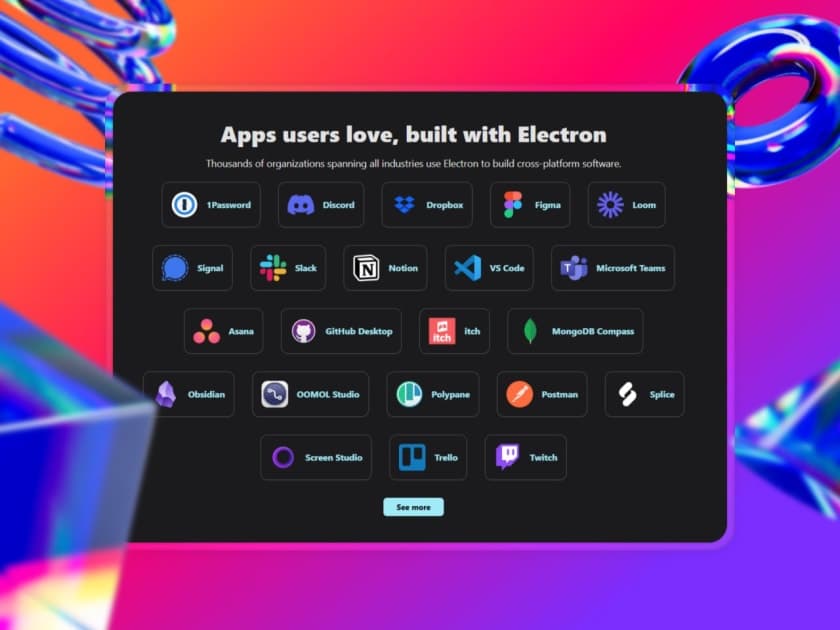
Many widely-used desktop applications are powered by ElectronJS, demonstrating its robustness and flexibility:
Visual Studio Code (VS Code): One of the most popular code editors in the world, VS Code uses Electron to provide a lightweight, yet powerful, IDE experience across platforms.
Discord: The communication platform for gamers and communities uses Electron to deliver a consistent user experience on desktop, mirroring its web and mobile apps.
Slack: The team collaboration tool leverages Electron to provide chat, notifications, and integrations in a desktop environment.
GitHub Desktop: Electron allows GitHub Desktop to give developers a seamless interface for managing Git repositories.
Figma: While known for its browser-based design tools, Figma’s desktop version relies on Electron for offline access and better integration with system features.
Advantages for Businesses
ElectronJS allows companies to maintain a single development team for both web and desktop platforms. This saves money, speeds up feature deployment, and ensures a consistent user experience. Additionally, the framework’s open-source nature means that developers can contribute to improvements and leverage community-built tools.
Challenges and Considerations
Despite its benefits, ElectronJS has some downsides:
Memory Usage: Electron apps can be heavier than native apps because they run a full Chromium instance.
Performance: For extremely resource-intensive tasks, native applications may perform better.
Security: Developers need to ensure that web-based code doesn’t introduce vulnerabilities.
ElectronJS has revolutionized desktop application development by allowing web developers to build powerful cross-platform apps. Applications like VS Code, Discord, and Slack demonstrate the framework’s ability to deliver high-quality experiences across operating systems. For businesses and developers looking for efficiency, speed, and flexibility, Electron remains a compelling choice for desktop software development.